How to move a Minecraft world to another PC
New computer, laptop, a friend's PC: copy the world folder from one saves folder to the other, even between Windows, macOS and Linux.
2 min read
Lire en français
A Minecraft Java Edition world is a folder. Moving it to another computer means copying that folder from the saves folder of one PC to the saves folder of the other. No account to link, no export menu: it works the same between two Windows PCs as between a Windows PC and a Mac.
Before you start
- Install Minecraft Java Edition on the new PC and launch it once, so the game folder and its
savesfolder exist. - If the world was played with mods or a modpack, install the same ones on the new PC, in the same versions.
- Use the same version of the game on both PCs. That is the case where the world opens exactly as you left it.
1. On the old PC: copy the world
- Quit the world, or close the game.
- Open the
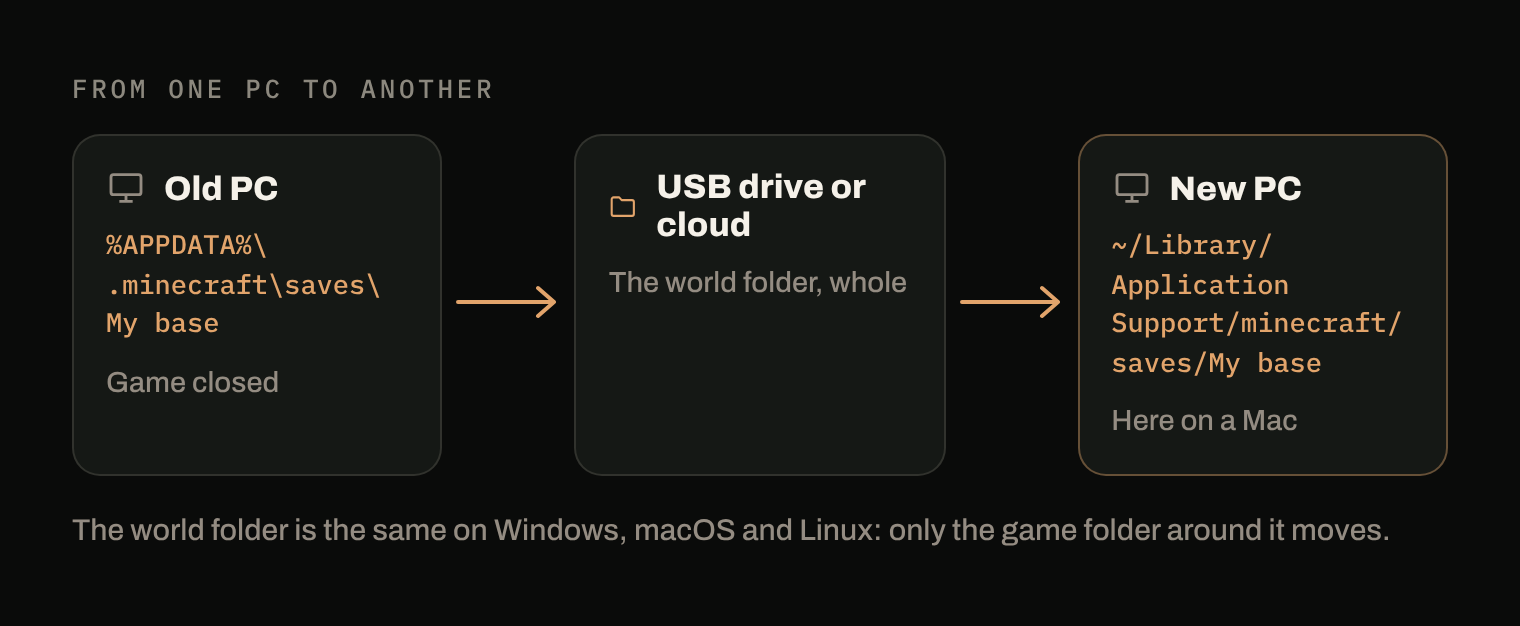
savesfolder:%APPDATA%\.minecraft\saveson Windows,~/Library/Application Support/minecraft/saveson macOS,~/.minecraft/saveson Linux (minecraft.wiki). - Copy the folder of the world, whole. Compressing it into a zip first makes it a single file, easier to carry.
The detailed version of these steps is in how to back up a Minecraft world.
2. Carry it
Any way that moves a file works: a USB drive, an external disk, a folder synced by your cloud storage, a transfer over your local network.
3. On the new PC: put it in saves
- Close the game.
- Unzip the copy if you zipped it.
- Put the world folder in
saves, next to the other worlds, not inside another world's folder. - Launch the game: the world appears in the single-player list.
From Windows to Mac or Linux
Nothing changes in the world itself: the folder you copy is the same on Windows, macOS and Linux. Only the location of the game folder changes (.minecraft on Windows and Linux, minecraft without the dot on macOS), so the only thing to get right is where you drop it.
If the world doesn't show up
- The folder is one level too deep. After unzipping, you can end up with
saves/My base/My base/level.dat. The world folder must holdlevel.datdirectly. - The game was open when you dropped the folder. Close it and launch it again.
- The launcher uses another game folder. A launcher profile or another launcher can point to a different folder: check its settings.
What Arcane does here
With Arcane Powered on both PCs, signed in to the same account, there is nothing to carry. Each world is backed up with its own history; on the new PC, Arcane brings back the worlds it has never seen into saves, with their names. Arcane marks Minecraft Java Edition as a game whose saves move between machines.
The free plan has no limit on the number of machines.
Sources
- .minecraft, minecraft.wiki: location of the game folder on each system and content of a world folder.