Where Hytale keeps your worlds
The UserData/Saves folder on Windows, macOS and Linux, the launcher button that opens it, and why your worlds stay on this PC only.
2 min read
Lire en français
Your single-player worlds in Hytale are folders on your disk, one per world. Knowing where they are is the first step to backing them up or moving them. Here is the folder on each system, and the quickest way to open it.
The short answer
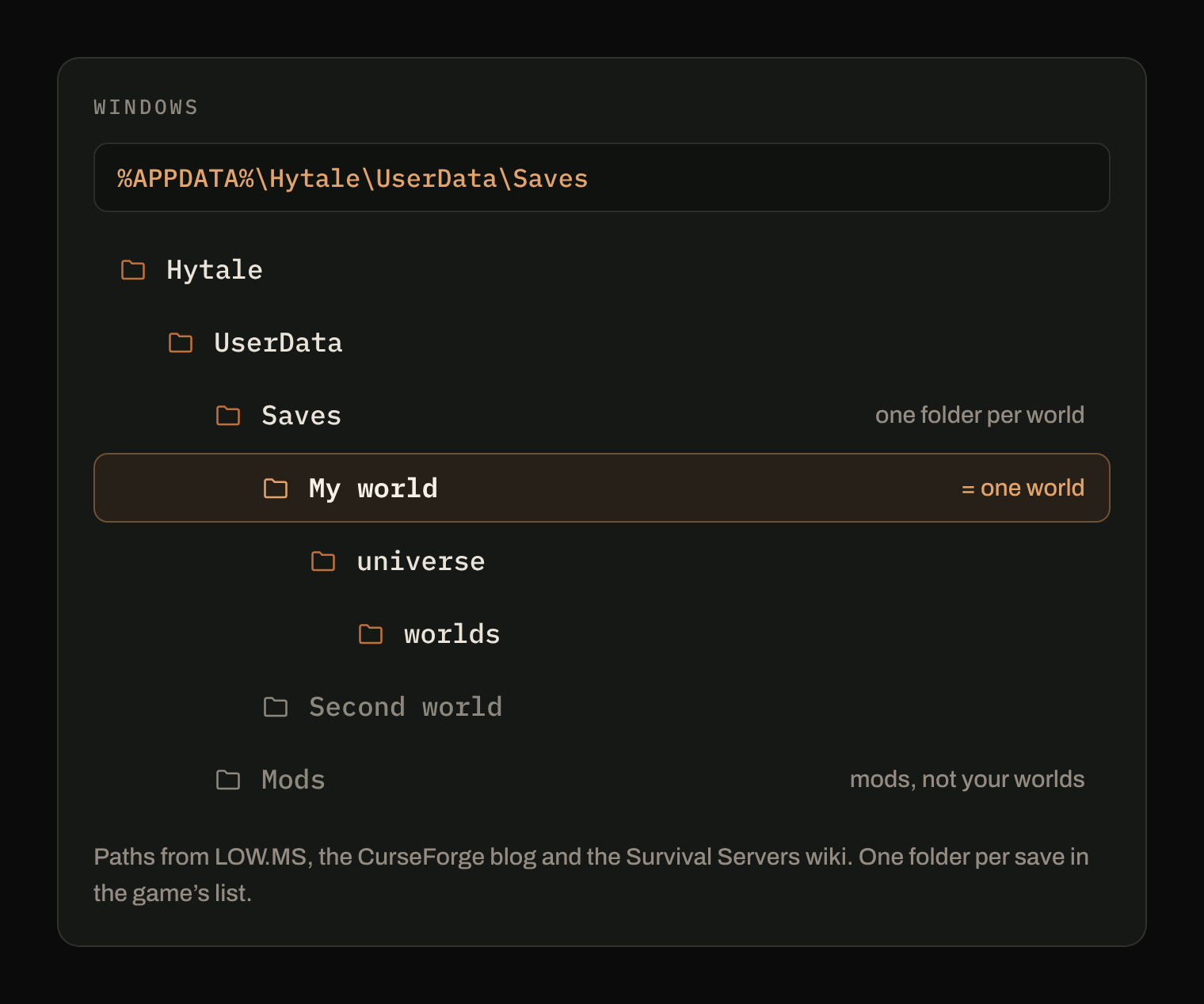
Worlds live in UserData/Saves, inside the Hytale folder.
| System | Your worlds |
|---|---|
| Windows | %APPDATA%\Hytale\UserData\Saves |
| macOS | ~/Library/Application Support/Hytale/UserData/Saves |
| Linux | ~/.local/share/Hytale/UserData/Saves |
On Linux, the CurseForge blog writes the Hytale folder as $XDG_DATA_HOME/Hytale; $XDG_DATA_HOME is ~/.local/share unless you changed it.
Open it from the launcher
The Hytale launcher has a button for this. Open the launcher, click the settings cog, then Open directory: it opens the Hytale folder. From there, go into UserData, then Saves (CurseForge blog).
In the game itself, right-clicking a world in the list and choosing Open Folder opens that world's folder directly. Inside, the world data sits in universe/worlds (Survival Servers wiki).
Open it by hand
Windows. Press Windows + R, type %APPDATA%\Hytale\UserData\Saves and press Enter.
macOS. In the Finder, choose Go > Go to Folder, paste ~/Library/Application Support/Hytale/UserData/Saves and press Return.
Linux. xdg-open ~/.local/share/Hytale/UserData/Saves in a terminal.
Mods are not in your world folder (mostly)
Next to Saves, UserData also holds a Mods folder for the mods you installed. A world can also carry mods of its own, in a mods folder inside the world (UserData/Saves/<world>/mods), according to the CurseForge blog. Keep it in mind when you move a world: a world that was played with mods expects those mods to be there.
Your worlds stay on this PC
LOW.MS states it plainly: Hytale single-player saves are stored locally and are not synced automatically. If your disk fails or you change computers, the only worlds you keep are the ones you copied yourself. That is the next guide: backing up a Hytale world.
What Arcane does here
Arcane Powered detects Hytale and its UserData/Saves folder on Windows, macOS and Linux, with nothing to point at. It keeps one history per world, and leaves the Mods and logs folders next to Saves out of the backups.
Sources
- Hytale Save File Location (World, Mods, Config Folders), LOW.MS: save paths per system, local saves.
- Hytale Transfer Local Save to Hosted Server, Survival Servers wiki: Open Folder in the game, universe/worlds inside a save.
- Where Is the Hytale Mods Folder?, CurseForge blog: the UserData folder, the launcher's Open directory, world mods.